

Microsoft vs Google AI 2025: Copilot vs Gemini Guide
Microsoft vs Google AI 2025 is no longer a quick “Copilot vs Gemini” pick because the right answer depends on where your team works, where your data sits, and how you plan to use AI across real workflows. In other words, you’ll usually get the best results in 2025 when you choose the ecosystem that already runs your day-to-day tools and lets your team manage it without headaches.
At the same time, both companies have moved past “cool demos.” Therefore, this guide focuses on what actually helps you decide: everyday productivity, device-level realities, builder platform fit, and the trust checks that matter in the U.S. workplace.
The real difference: Microsoft vs Google AI 2025
In 2025, Microsoft tends to win when an organization is built around Microsoft 365, Windows, and Azure, because AI is woven into that stack. Meanwhile, Google tends to win when a team runs on Google Workspace, Chrome/Android, and Google Cloud, because Gemini fits naturally across Google’s products and search-like experiences.
However, the biggest change this year isn’t just model quality. Instead, it’s the shift from assistants that help you work to agents that help you run workflows. As a result, “best AI” is the one that fits your tools and stays controllable when it moves from suggestions to actions.
Layer 1: AI for everyday work: Docs, email, meetings
In daily work, the best AI usually isn’t the one with the flashiest features. Instead, it’s the one that shows up where your team already writes, meets, and shares files. Therefore, most decisions come down to whether your organization lives inside Microsoft 365 or Google Workspace.

Microsoft 365 workflows: where Copilot fits best
If your company runs on Word, Excel, PowerPoint, Outlook, and Teams, Copilot often feels like a built-in upgrade rather than a separate tool. As a result, common tasks drafting emails, summarizing meetings, turning notes into slides, and pulling insights from spreadsheets can move faster with less switching.
Moreover, Microsoft’s 2025 direction puts heavy weight on organization-ready AI. Therefore, teams that rely on permissions, internal sites, and structured access control often find it easier to keep AI aligned with how the business already works.
Google Workspace workflows: where Gemini fits best
If your team lives in Gmail, Docs, Sheets, and Meet, Gemini tends to feel like it belongs there. In addition, Google’s strengths in discovery and synthesis can pay off when your day includes research, summarizing, and quick collaboration across shared docs.
Also, many Workspace teams treat collaboration as the core workflow, not the side activity. Therefore, Gemini’s value increases when shared documents and real-time editing are how work gets done.
The part most people miss: workflow surface area beats feature lists
A feature checklist won’t tell you what adoption will look like. Instead, ask a simpler question: where will AI show up while people work? Because if AI is present across the “work moments” that happen every day emails, meetings, files, and team notes usage becomes natural.
As a result, the ecosystem that owns more of your daily workflow surface area usually delivers better ROI, even if the other one looks stronger in a side-by-side demo.
Layer 2: Device and OS AI: Microsoft vs Google AI 2025
AI is moving closer to the device in 2025, not just the cloud. Therefore, speed can improve, and some experiences can feel more immediate. However, device-level AI also raises privacy and control questions, especially for U.S. organizations that care about compliance and internal policy.
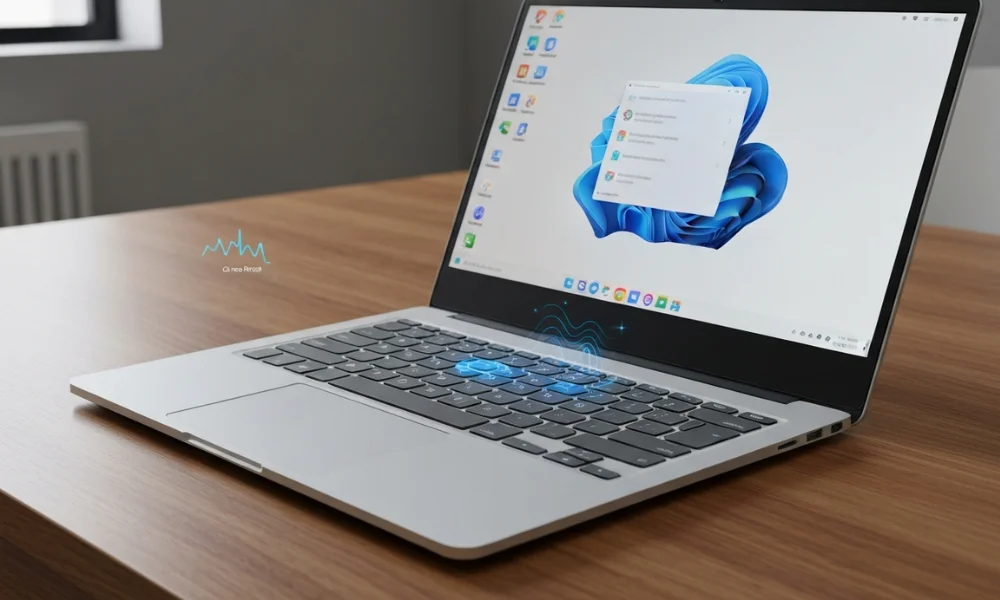
Microsoft’s Device Angle: Microsoft vs Google AI 2025
Microsoft is pushing AI deeper into the Windows experience, especially on newer AI-focused hardware. As a result, parts of the AI experience can feel more seamless because they sit closer to the operating system and user workflow.
However, OS-level AI can change your risk model. Therefore, IT teams should track what the system processes locally, what it sends to the cloud, and how admins control rollout, logging, and user permissions.
Google’s Device Angle: Microsoft vs Google AI 2025
Google’s strength often shows up through Chrome-based work, mobile-heavy teams, and environments where Google identity is already central. As a result, some organizations manage devices more easily, especially when they support a distributed workforce and rely on constant collaboration.
Even so, device-level AI still needs clear policy boundaries. Therefore, the best choice is the one that supports productivity without blurring privacy expectations or admin control.
Layer 3: Builders and platform AI: Azure AI vs Google Cloud AI
If you’re building internal tools, automations, or AI-powered products, the question changes fast. Instead of “Which assistant is nicer?” you need “Which platform can we run reliably, measure properly, and govern at scale?” Therefore, platform fit matters more than headlines.
Also, long-term success depends on operational discipline. So, you should prioritize evaluation, monitoring, and predictable costs because those are what make AI sustainable, not just impressive.
When Azure is usually the stronger fit
Azure often makes the most sense when your company already runs on Microsoft identity patterns, enterprise security tooling, and Microsoft-managed environments. As a result, your AI workflows can connect more smoothly with permissions, compliance routines, and internal knowledge sources.
Additionally, if you want AI to sit inside Microsoft-centric business processes, Azure-aligned tooling can reduce the friction of building and rolling out governed workflows. Therefore, it’s often a practical choice for organizations standardizing across Microsoft systems.
When Google Cloud is usually the stronger fit
Google Cloud often fits best when your organization is data-and-analytics driven and moves fast through experimentation. In addition, teams already using Google-native patterns tend to integrate AI more quickly without fighting their stack.
Furthermore, Google’s strengths can be a solid match when you’re building experiences tied to retrieval, search-like behaviors, and large-scale data systems. Therefore, it can work especially well for analytics-forward teams.
The quiet winner: operational AI
Model quality matters, of course. However, real teams win with AI they can operate every day. Therefore, the better platform is the one where you can monitor performance, evaluate outputs, manage changes, and keep costs understandable as usage grows.
In short, the platform that runs well in production beats the platform that only shines in demos.
Agents in 2025: what “agentic” really means
An assistant helps you write, summarize, and brainstorm. Meanwhile, an agent can take multi-step actions across tools. As a result, the conversation shifts from “help me do work” to “help me run a process.”
However, not every process should be automated. Therefore, teams perform best when they keep sensitive decisions under human control while using AI to handle repeatable tasks with clear boundaries. In practice, the safest wins come from clear guardrails first and automation second. Moreover, if you want to explore how companies are building next-generation AI systems right now, check out this guide on AI startups in 2025 to see which innovations are shaping the future.
The 2025 Trust Checklist
Before you standardize on Microsoft or Google, check trust basics first. Otherwise, usage can grow while risk quietly grows with it.
Data boundaries: What can AI access, and what is blocked?
Admin controls: Can IT control features, scope, and permissions cleanly?
Auditability: Can you review usage and key events when needed?
Retention and privacy: What is stored, for how long, and where?
Human review: Where are approvals required for sensitive actions?
Which should you choose? Three fast scenarios
This is where decisions get simpler, because you can map the ecosystem to your reality. Therefore, use these scenarios as a practical starting point, then validate with a short pilot.
Choose Microsoft: Teams-driven, and want AI embedded across office workflows.
Choose Google: collaboration-heavy, and rely on fast synthesis and shared iteration.
Choose Hybrid: organization is split across suites and needs flexibility while standardizing governance.
FAQs
Is Copilot better than Gemini in 2025?
It depends on where you work. If your day runs through Microsoft 365, Copilot often feels more native. Conversely, if your day runs through Google Workspace, Gemini often feels more integrated.
Which is safer for business use?
Neither is “safe by default” without good configuration. Therefore, compare admin controls, audit options, retention rules, and approval paths instead of relying on broad claims.
Which is better for developers?
The best pick is the platform that matches your data stack and operational needs. Also, evaluation and monitoring matter just as much as model capability, because production reality is where AI succeeds or fails.
Conclusion: Microsoft vs Google AI 2025
Microsoft vs Google AI 2025 is best decided by fit, not hype. If your organization already runs on Microsoft 365, Windows, and Azure, Microsoft’s ecosystem often feels like the most natural extension of existing work, especially because it aligns well with enterprise permissions and structured workflows.
If your organization relies on Google Workspace and fast collaboration, Google often becomes the stronger match, especially when your teams use research-driven synthesis and shared documents as the core of daily work.
However, the real 2025 differentiator is whether you can trust and operate AI as it moves toward agents and workflow automation. Therefore, choose the ecosystem you can govern: clear access boundaries, strong admin controls, usable audit trails, sensible retention rules, and smart human review points.
Moreover, this shift toward AI-driven decision-making is happening at the same time organizations are racing to scale, invest, and innovate. If you want a broader view of where the market is heading, you can explore global startup funding 2025 to understand how funding trends are shaping new AI ecosystems and enterprise priorities worldwide.